Quick answer: a charger with no app to break is the entire brief, and the Grizzl-E Classic answers it best: amperage set by internal DIP switches, nothing to pair, nothing to update. If you want smart-tier hardware that still charges fine without its software, the Tesla Wall Connector is the runner-up.
The App-Free Verdict
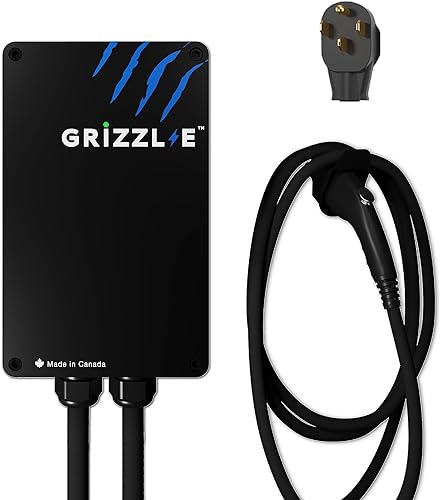
Grizzl-E Classic
40A J1772, solid steel enclosure, NEMA Type 4 outdoor. Zero app, zero account, zero cloud service. Just power.
See it on Amazon →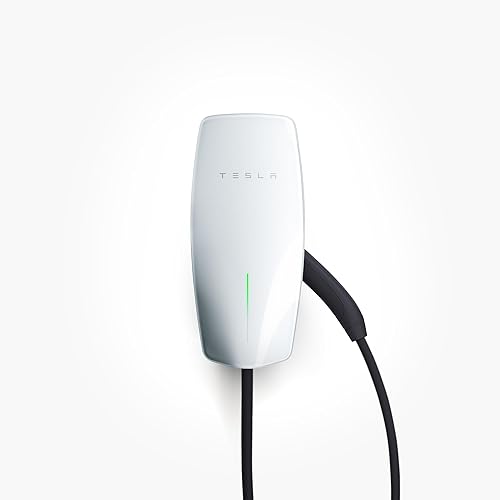
Tesla Wall Connector
One-time setup needs a phone: a Gen 3 unit is commissioned over its temporary WiFi network from a phone browser or the Tesla One app, and that is where its amperage gets set. After that it charges at full 48A with no account, no cloud service, and no app in daily use.
View on Amazon →App-Free Options Side by Side
The Grizzl-E is a dumb 240V device straight out of the box. The Wall Connector needs one phone-based commissioning session, then runs standalone.
Notes From Owners Who Skipped the App
Pulled from verified-purchase Amazon reviews as of 2026-05-27.
Grizzl-E Classic (4.6-star verified-buyer average)
Owners who chose Grizzl-E specifically for the no-app design report the highest long-term satisfaction in the category. There is no firmware update to worry about, no account to remember, no cloud service to outlive. The unit is loud when the contactor engages, which is the only consistent complaint.
Tesla Wall Connector (4.8-star verified-buyer average)
Owners report that once the one-time commissioning is done (a phone-browser session on the temporary WiFi network the unit broadcasts, or the Tesla One app), the charger needs no further network attention and delivers its full 48A day after day. The Tesla app stays useful for OTA updates and remote monitoring but plays no part in daily charging. This is the right pick for buyers who want premium build quality without an always-on cloud connection.
Jacob’s read on this category
The case for a no-app charger is written in this category’s own history: since 2022, major charging brands have changed subscription terms, sold themselves, or walled off free features, and each of those decisions reached into customers’ garages through firmware. The two picks here cannot be degraded by a business pivot; they either charge or they do not. You give up wall-side scheduling, but the car covers it, since every major EV can schedule charging from its own settings, and a $35 mechanical timer handles the rest. This is the category I steer relatives toward, because nobody calls me about a firmware update that never exists.
Why No App Matters
Smart-charger apps are end-of-life risks. Three major brands in the home EV charger space (Chargepoint, eMotorWerks, JuiceBox) have changed their subscription model, sold the company, or limited free-tier features since 2022. When that happens, your charger's smart features are at the mercy of someone else's business decisions.
A no-app charger is immune to this. The unit either works or it doesn't. There is no firmware update that can subtly degrade your experience.
For privacy-conscious owners, no-app also means your charging schedule isn't transmitted to a third party who may sell aggregated data to utilities or insurance carriers.
What You Give Up Without an App
Per-session cost tracking, off-peak scheduling, charge-now / charge-later automation, OTA firmware updates, multi-charger load sharing, energy export integration with solar inverters.
If you don't need any of those things, the no-app trade is free. If you have time-of-use electricity rates and want automatic off-peak scheduling, a smart charger may save you $10-$40/month depending on your utility's peak/off-peak delta.
A simple workaround for off-peak scheduling without an app: install a $35 mechanical timer between the charger and the wall outlet, OR rely on your EV's own scheduled-charging feature (every major EV supports this via the car's own app).
How You Configure a Charger Without an App
With a smart charger, you set the charging amperage in software. With a no-app charger, that decision moves to install time, and it is worth understanding before the electrician shows up.
The Grizzl-E Classic sets its output with internal dip switches that you match to your circuit's breaker size. Owners report the change takes a few minutes with a screwdriver, and once set, there is nothing left to configure. The Tesla Wall Connector splits the difference: a Gen 3 unit is commissioned once over the temporary WiFi network it broadcasts, using a phone browser or the Tesla One app, and that is where its maximum output gets set. After commissioning it runs standalone; the network side exists for optional firmware updates, not for daily operation.
The rule that governs both: a charger must draw no more than 80% of its breaker's rating, because EV charging is a continuous load under NEC 625. A 40A charger needs a 50A breaker, and a 48A charger needs a 60A breaker. Your electrician sets this once, the inspector verifies it, and the charger never asks you about it again.
One more lever people forget: the car itself. Most EVs let you lower the charging amperage from the vehicle's own settings screen. If you ever need to share a circuit or charge gently on a marginal outlet away from home, you can do it from the driver's seat with no charger app involved.
Mechanical Timer Wiring Caveats
The mechanical-timer trick for off-peak charging works, but the wiring details matter, and getting them wrong is a genuine fire risk.
- The timer must be rated for 240V and your full charging amperage. The common plug-in lamp timers sold for holiday lights are 120V, 15A devices. Putting one anywhere near an EV circuit is how outlets melt.
- Continuous duty is the spec to check. An EV pulls its full amperage for hours at a stretch, not in bursts. Look for a double-pole 240V timer of the kind sold for water heaters and pool pumps, with a continuous-load rating at or above your charger's draw, and have an electrician wire it ahead of the receptacle.
- Test how your car reacts to a mid-session power cut. Some EVs resume charging without complaint when power returns; others log a charging-interrupted alert or wait for the plug to be reseated. Run one test cycle before you trust the timer with your morning commute.
Honest assessment: most owners are better served by the car's built-in scheduler. It costs nothing, switches no physical contacts, and keeps the charger circuit simple, which is the entire appeal of a no-app setup in the first place.
Who Should Buy a No-App Charger
The no-app pick is the right call in a few specific situations:
- Your garage has no usable WiFi. A detached garage or a parking spot at the edge of your network turns every smart charger into a dumb one anyway. Buying the no-app unit just skips the part where the app nags you about connectivity.
- You pay a flat electricity rate. As covered above, scheduling only saves money on time-of-use plans. On a flat rate, the smart premium buys you charts, not savings.
- Multiple drivers share the charger. A charger with no accounts and no pairing means a spouse, a teenager, or a houseguest plugs in and walks away. Nothing to explain, nothing to reset.
- You plan to keep it longer than one car. Hardware outlives app support. The brand turbulence described earlier in this article never touches a charger that was never connected to anything.
One more genuinely app-free brand worth knowing about: ClipperCreek units run with no app, account, or cloud service, the same operating model as the Grizzl-E (the two are compared directly in Grizzl-E Classic vs ClipperCreek HCS-40P). The Wallbox Pulsar Plus (see Grizzl-E vs Wallbox Pulsar Plus), despite sometimes being described that way, does not qualify: it requires the myWallbox app to commission the unit and set its amperage, even though it charges fine without an ongoing cloud connection afterward. We kept the comparison table to the two picks with the strongest verified-buyer sentiment on Amazon.
The case against: if you have time-of-use rates and your car's scheduler is clunky, a smart charger with reliable scheduling will pay its own premium back. Our Level 2 comparison covers those picks.
FAQ
How the App-Free List Came Together
Everything here was chosen from spec sheets and install manuals, with one extra filter: we confirmed whether each unit genuinely charges without an app (DIP-switch setup or default-on behavior) instead of trusting a marketing page. Amazon availability and price tiers were re-checked on October 17, 2026. Owner themes are paraphrased from verified-buyer reviews; no sponsorships, no free units. Read the full research methodology.